

Tutorial: Polly (Multi-AI Coding)
Polly is a multi-agent coding orchestrator. It breaks your task into sub-tasks and delegates each one to a different AI agent, with cross-vendor code review built in. This tutorial shows you how it looks in practice.
Time: 5 minutes. Everything runs locally.
1. Run Polly
omni polly
This starts Polly and opens a web UI at http://localhost:6767.
Polly is also the default agent omni run launches when a Claude
credential is configured. (A bare omni with no arguments starts the
local server / host in the background instead — use omni polly or
omni run to launch an agent.)

Start Polly with omni polly, or omni run when a
Claude credential is configured.
2. Give it a task
Refactor the authentication module into separate files for OAuth, JWT, and session handling. Add tests for each.
Polly breaks this into sub-tasks and delegates each one to a different AI agent. Claude Code implements one piece, Codex implements another in parallel, and a different agent reviews each PR.
3. Watch it in the web UI or desktop app
Open http://localhost:6767 in your browser. It shows the same session
as your terminal, updating in real time.
The right panel has four tabs: Files, Agents, Shells, and Todos.
Click the Agents tab to see every sub-agent Polly dispatches, with live status (working, idle, finished).
- Click any sub-agent to switch to its view and see its conversation, files, and terminal output.
- Switch to the Shells tab to see all running shells side by side.
- Intervene at any point: send a message to a sub-agent, or switch back to Polly to see the orchestrator's view.
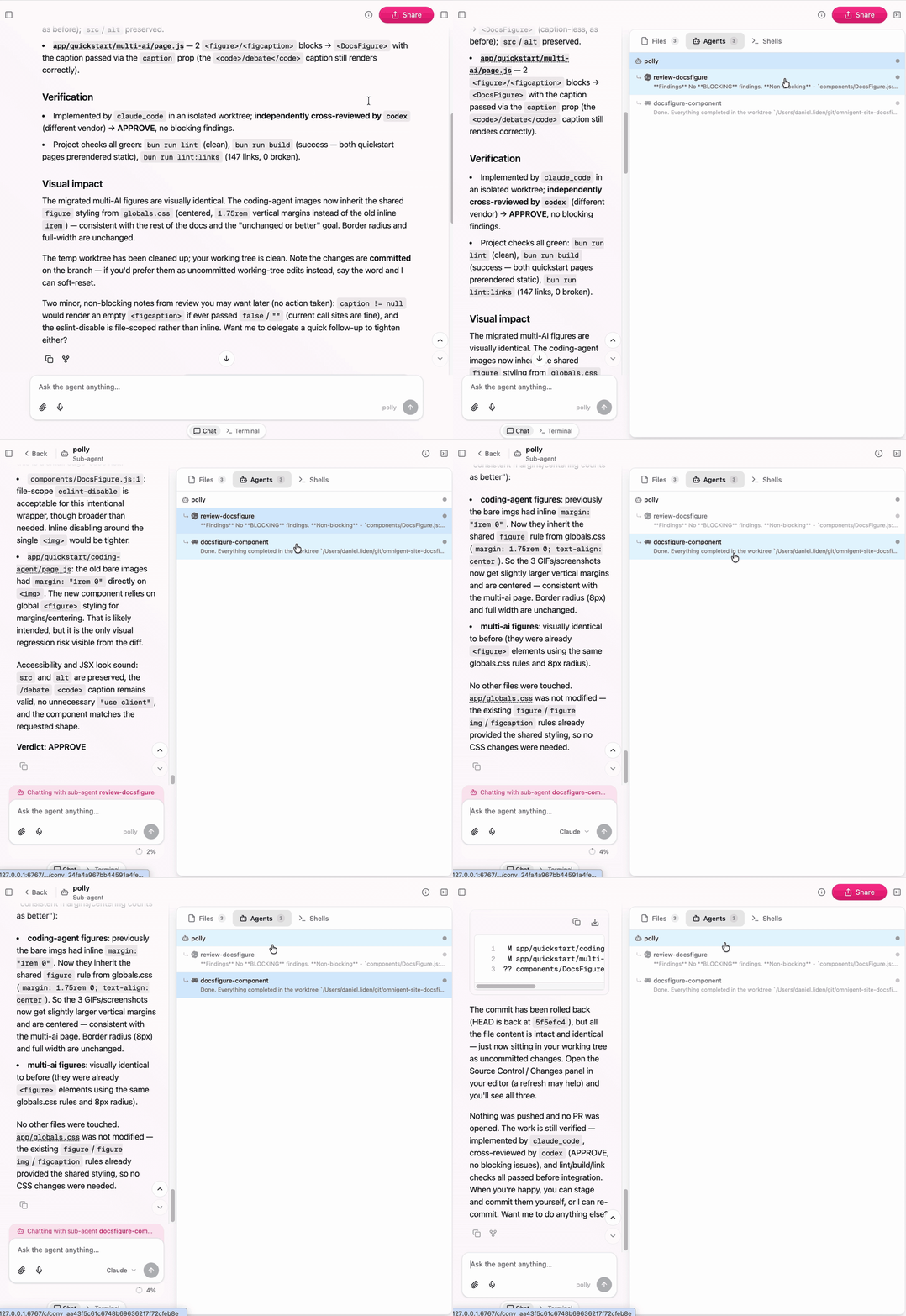
The Agents panel shows Polly and its sub-agents, so you can inspect or steer each delegated worker directly.
This is where multi-AI orchestration becomes tangible: you can watch Claude Code and Codex working on different parts of the same task simultaneously, each in its own git worktree.
See Polly reference for the full details
on skills like /fanout, /cross-review, and /investigate.
What's next
- Collaborate from anywhere to deploy a server and share sessions with teammates.
- Build a custom agent with your own multi-agent orchestration in YAML.