

Tutorial: Contextual Policies
Omnigent ships with a set of context-aware policies you can attach to any live session, no code required. They watch what your agent is doing and step in when it matters: warning you about spend, pausing for approval, or blocking a risky action outright. This tutorial walks you through setting one up on a running session.
Time: 5 minutes. Everything runs locally.
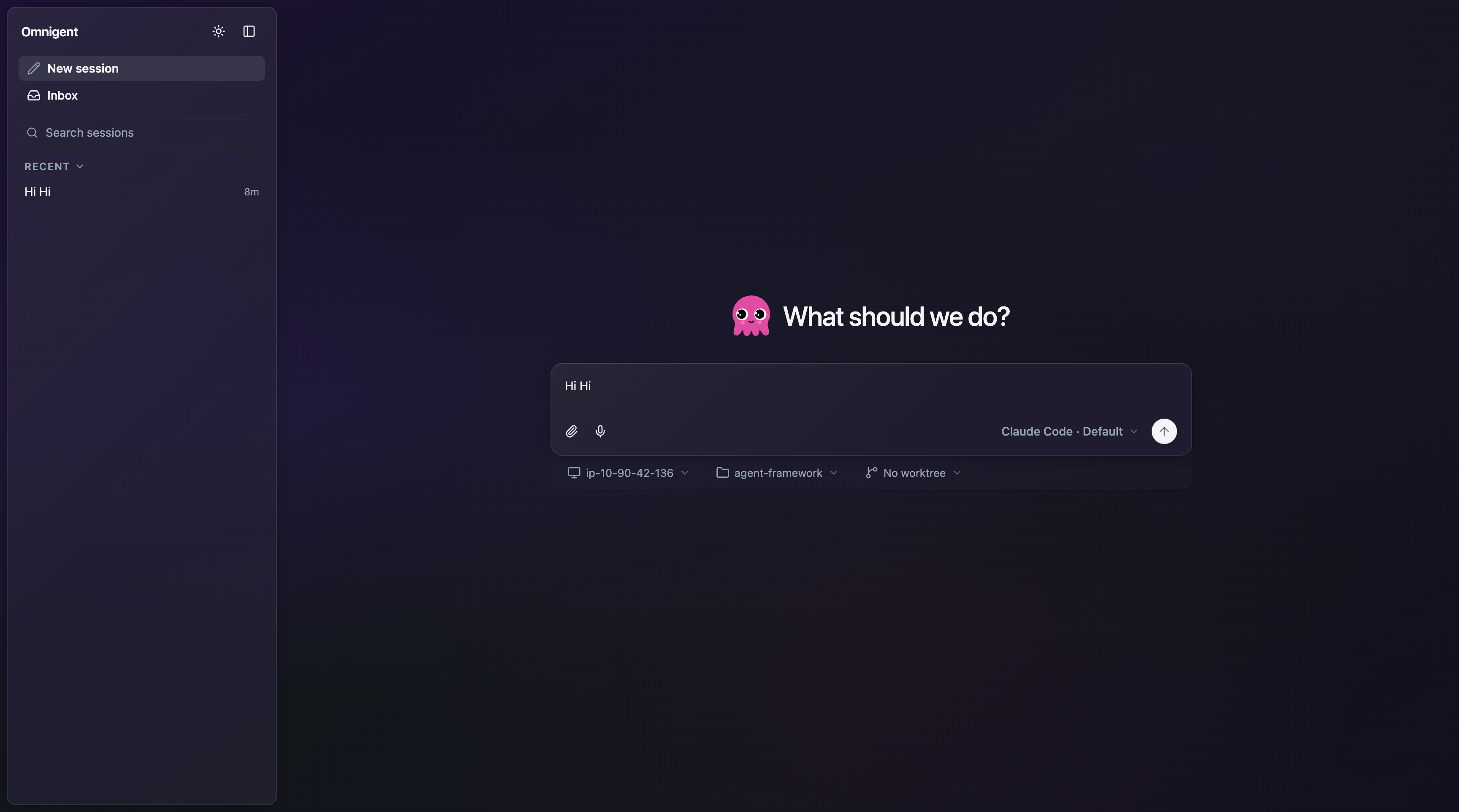
1. Start a new session
Open the web UI and start a new session with whichever agent you like. We'll use a Claude Code session for this walkthrough, but policies work the same across every agent type.
2. Add a policy to the session
Click the info button (i) at the top of the page to open the session
panel. You'll see the current session cost and a Policies section.
Hit the + button, then pick a policy from the list. There are plenty to
choose from; for this tutorial we'll use Session Cost Budget, which
keeps an eye on how much the session is spending on the model.
The clip below walks through the whole flow: opening the panel, choosing the policy, and filling in its settings.
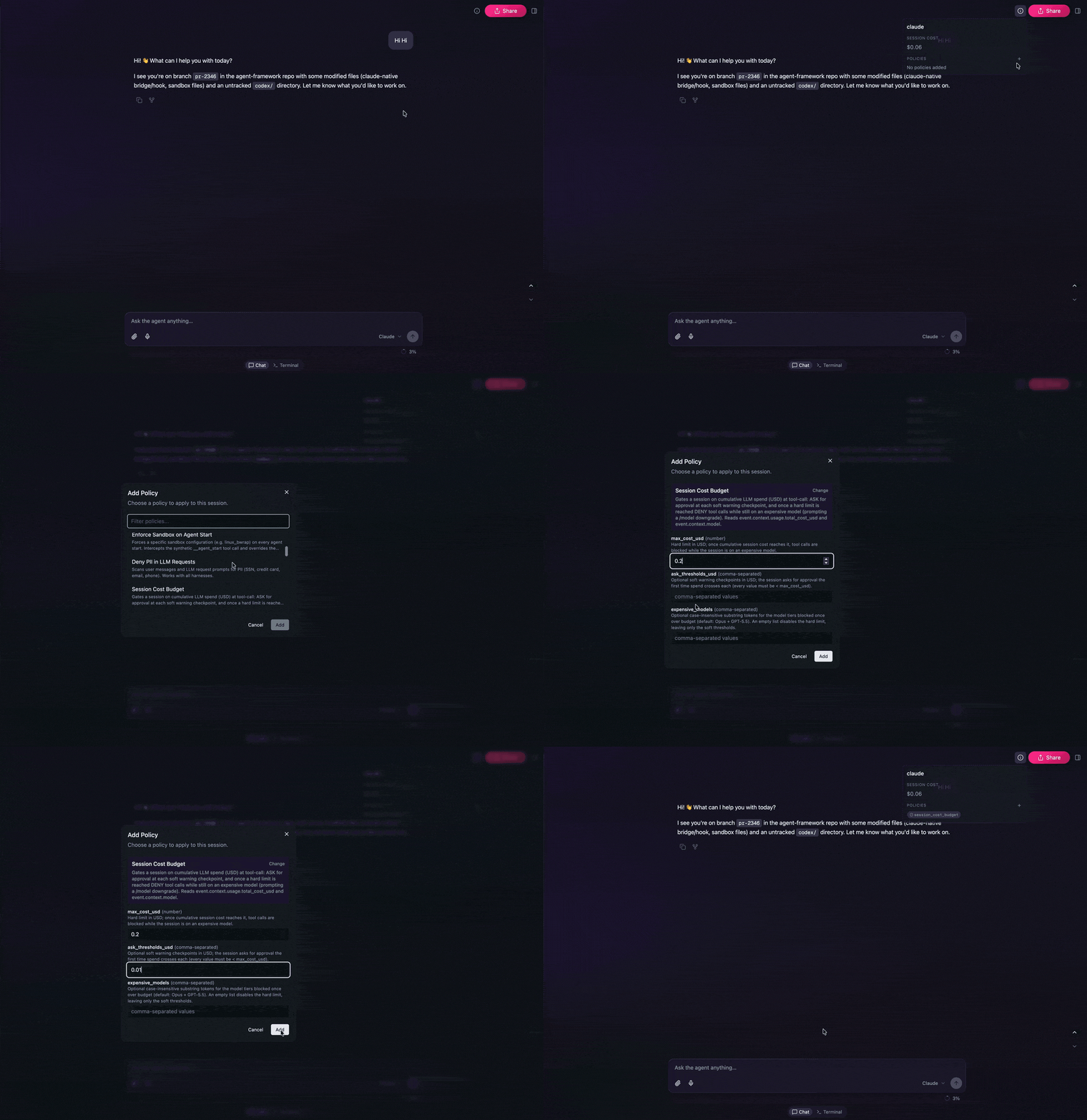
As you can see in the clip, the cost policy gives you two kinds of guardrails:
- Soft limits: a list of spend thresholds that act as gentle warnings. When the session cost crosses one, you get a heads-up on the next tool call and can decide whether to keep going. For the demo we'll set a soft limit of
0.01. - Hard limit: a ceiling paired with a list of expensive models. Once spend passes the hard limit, the session blocks any of those pricey models until you downgrade to a cheaper one. We'll set the hard limit to
0.2and keep the default expensive-model list (Opus, GPT-5.5).
Once you fill in the values and click Add, the policy goes live on the session right away: you'll see it listed under Policies in the panel.
3. Watch the policy in action
Keep an eye on the running cost in the info panel (i) as you chat. Now
let's trip each guardrail.
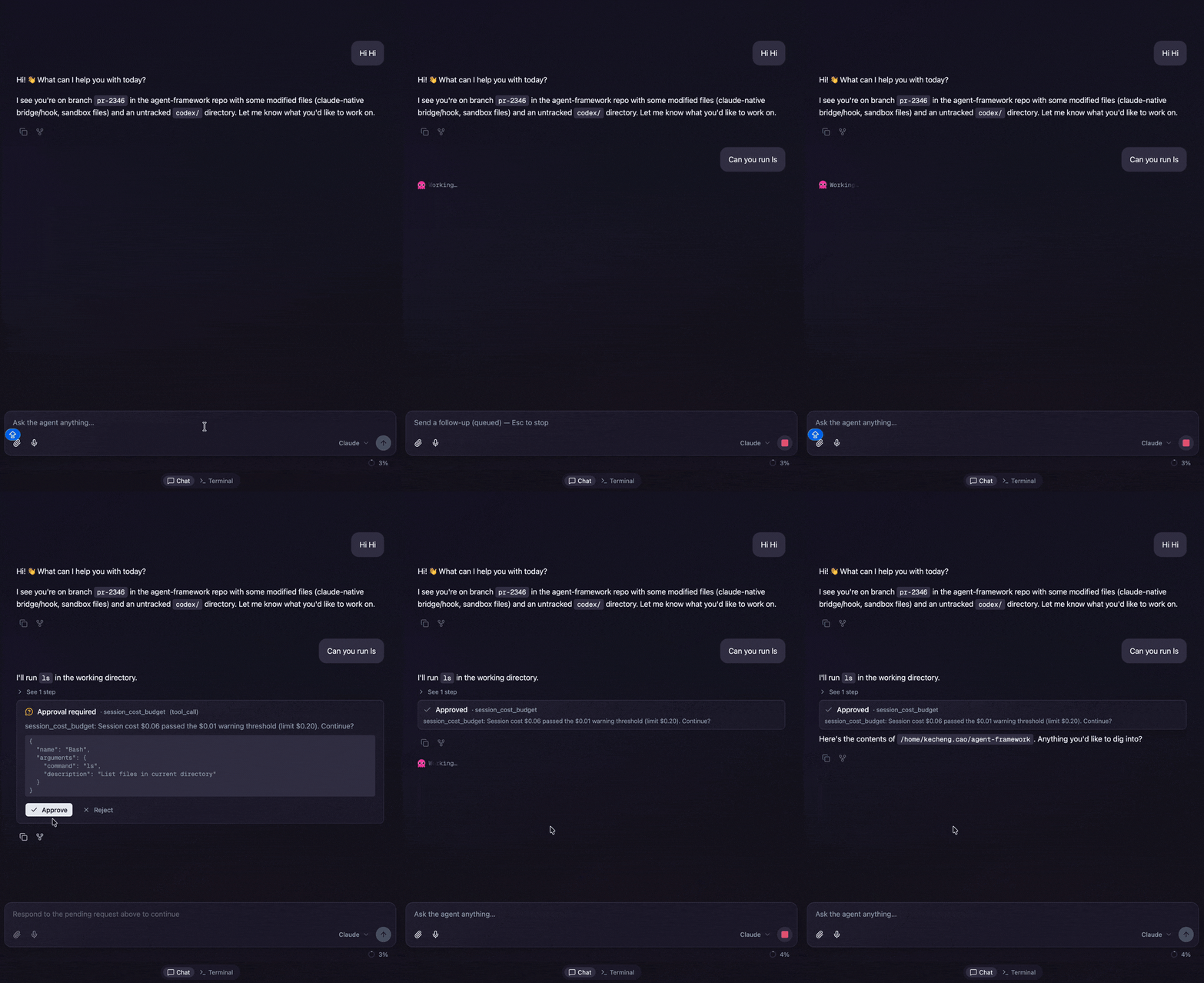
Cross the soft limit
Once spend passes your soft limit, ask the agent to run any tool. Instead of charging ahead, it pauses and asks whether you want to continue. Approve to keep going, or reject to stop the call.
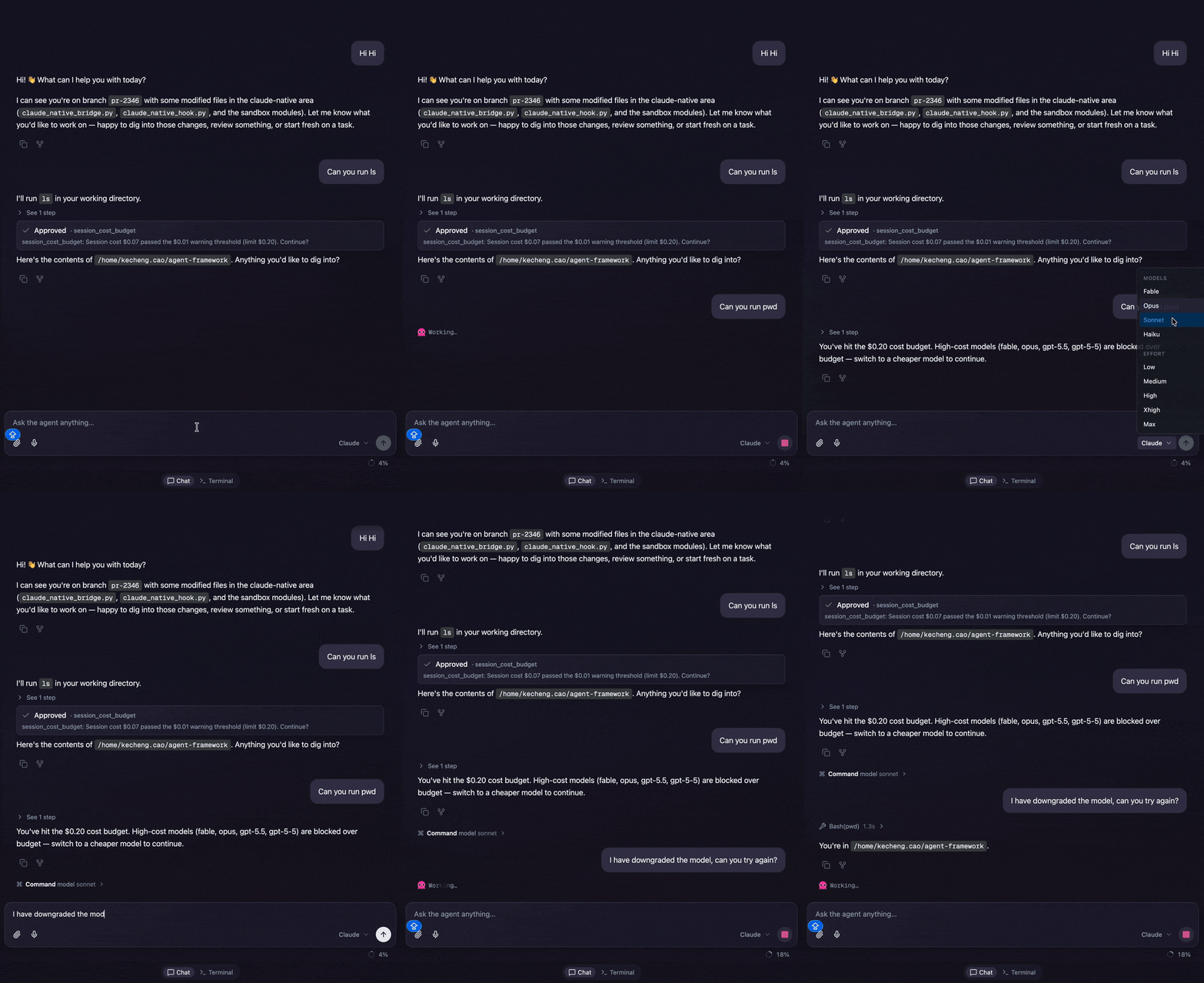
Hit the hard limit
When spend reaches the hard limit, the policy blocks every following tool call that would use an expensive model. The agent tells you what happened and waits. Switch to a cheaper model and you're free to continue.
That's the whole loop: warn, ask, block. The same pattern applies to every built-in policy, so you can mix and match them to fit how you want a session to behave.
What's next
- Contextual Policies overview: all the ways to apply policies (chat, Omnigent YAML, or server config).
- Builtin Policies: the full catalog of policies you can add out of the box.
- Custom Policies: write your own in Python when the builtins don't cover your use case.