

v0.15.0
Released 2026-09-24 · 4 min read · Omnigent maintainers
Omnigent 0.15.0 is a major release focused on the everyday session experience, bringing a new native harness, lots of quality-of-life features for session management, and improved chat UX within sessions. Here are some of the highlights:
1. Devin as a native harness
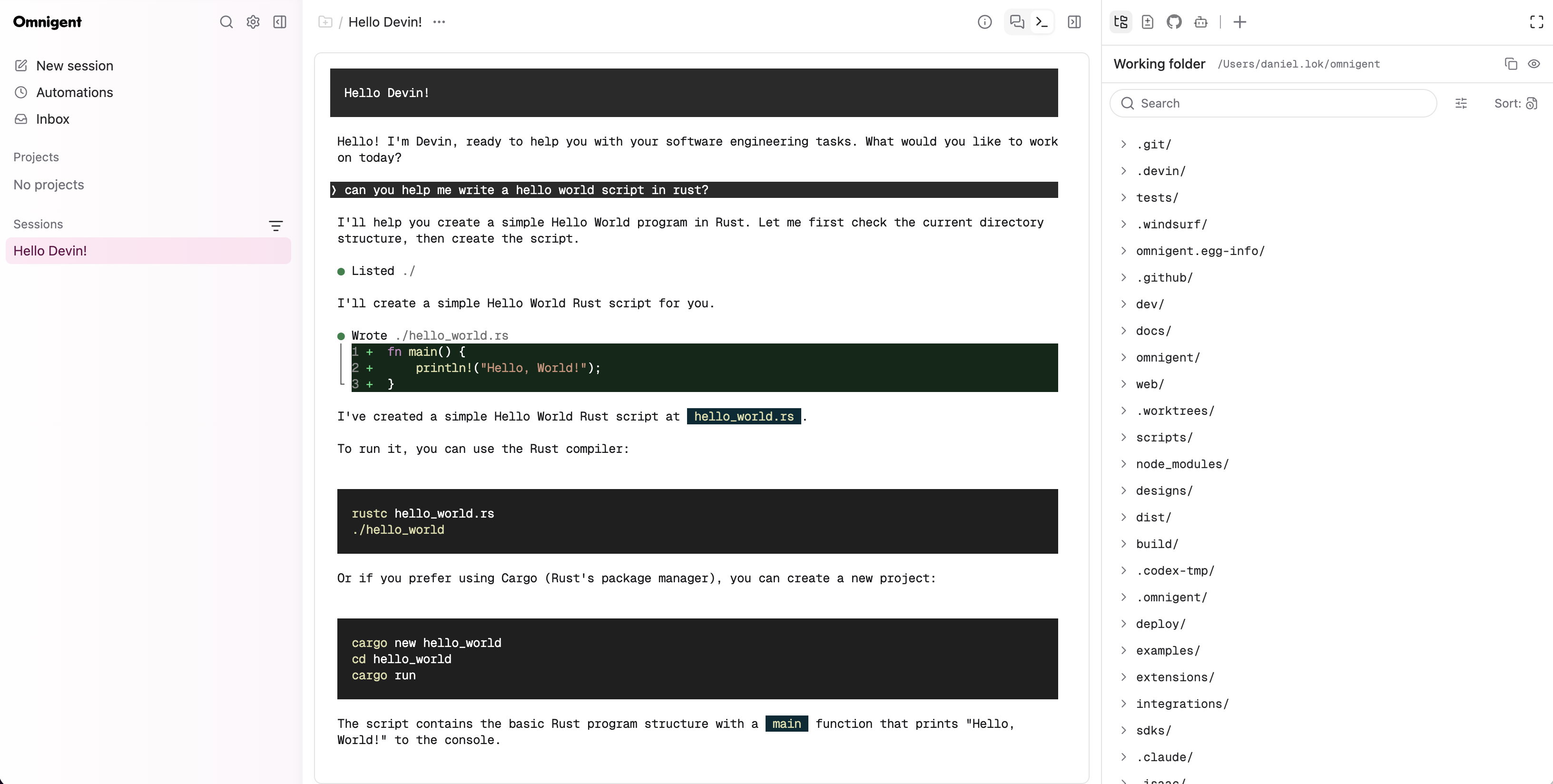
Running a coding agent through a translation layer means losing the details of its own interface. Devin now runs as a native harness in Omnigent: omni devin mirrors the real Devin TUI into the web UI, the same way the Claude Code and Codex native harnesses do, so what you see in the browser is the actual Devin experience rather than an approximation of it.
The previous ACP-based Devin harness is replaced by the native one. The old harness id continues to resolve, but sessions now run through the native path, so existing configurations keep working without changes.
Learn more in the Devin.
2. Curated model catalogs for Pi, custom ACP agents, and managed sandboxes
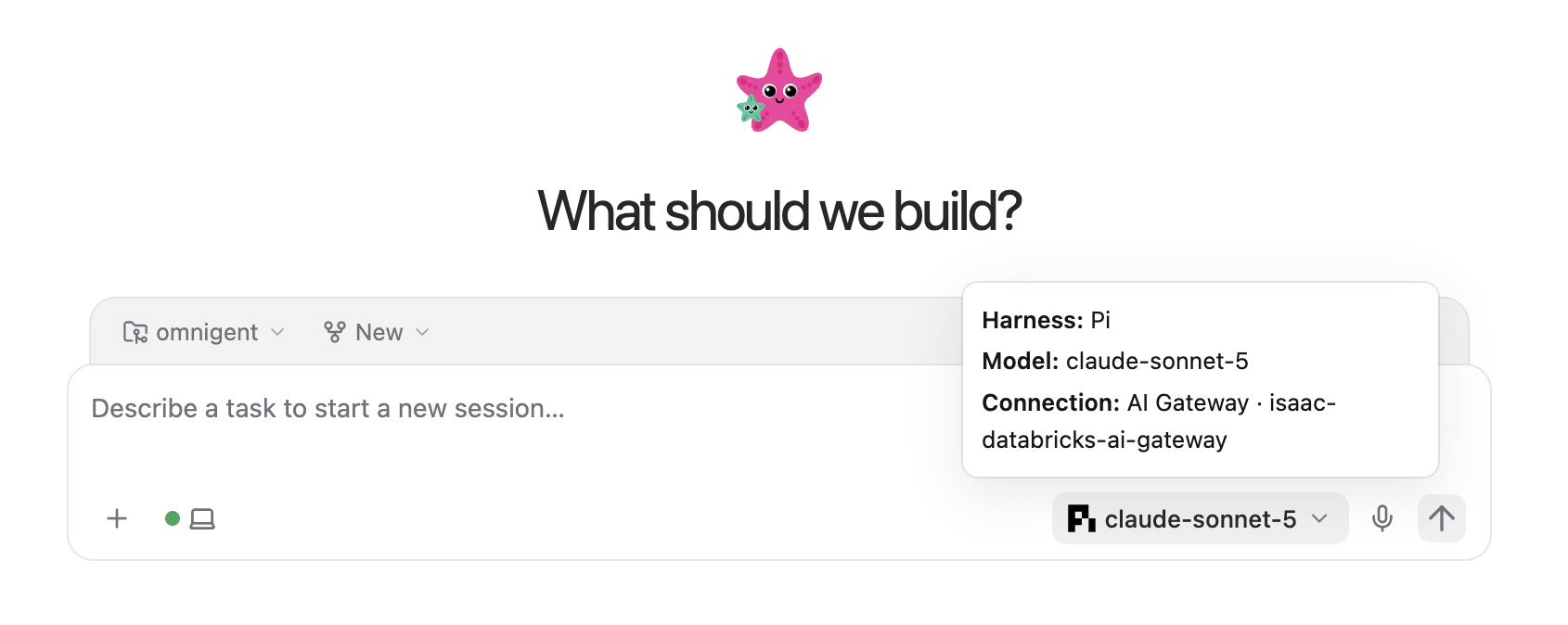
Picking a model should not mean scrolling through every identifier a gateway happens to expose. Pi, custom ACP agents, and managed Kubernetes / Agent Sandbox sessions can now show configured model shortlists, so your team sees the handful of models you actually want them to use.
Catalogs are configured per harness, each with its own gateway, and you can optionally turn on live gateway discovery to populate the list from what the gateway currently serves instead of maintaining it by hand.
Learn more in the Choose a model.
3. A richer Composer
The Composer is where you spend most of your time in a session, and this release makes it do more. You can preview attached images before you send them, and Claude Code and Codex sessions accept more types of files as attachments. Queued messages and active sub-agent work are now managed directly from the Composer, so you can reorder, edit, or check on in-flight work without leaving the input.
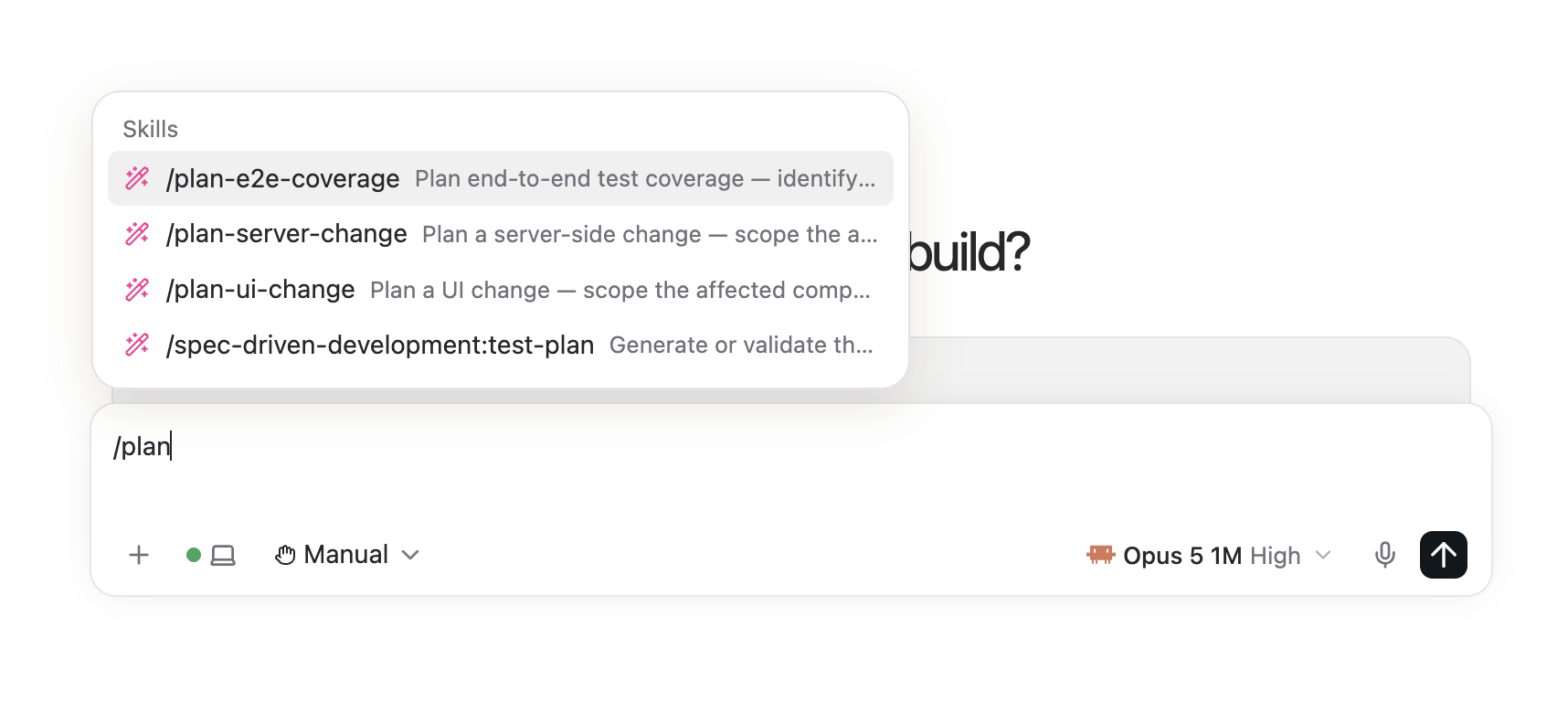
Skills are also easier to find: from the new session page, type / (or $ for Codex) to discover and insert the skills available to that session.
Learn more in the Multi-modal input.
4. Side chats
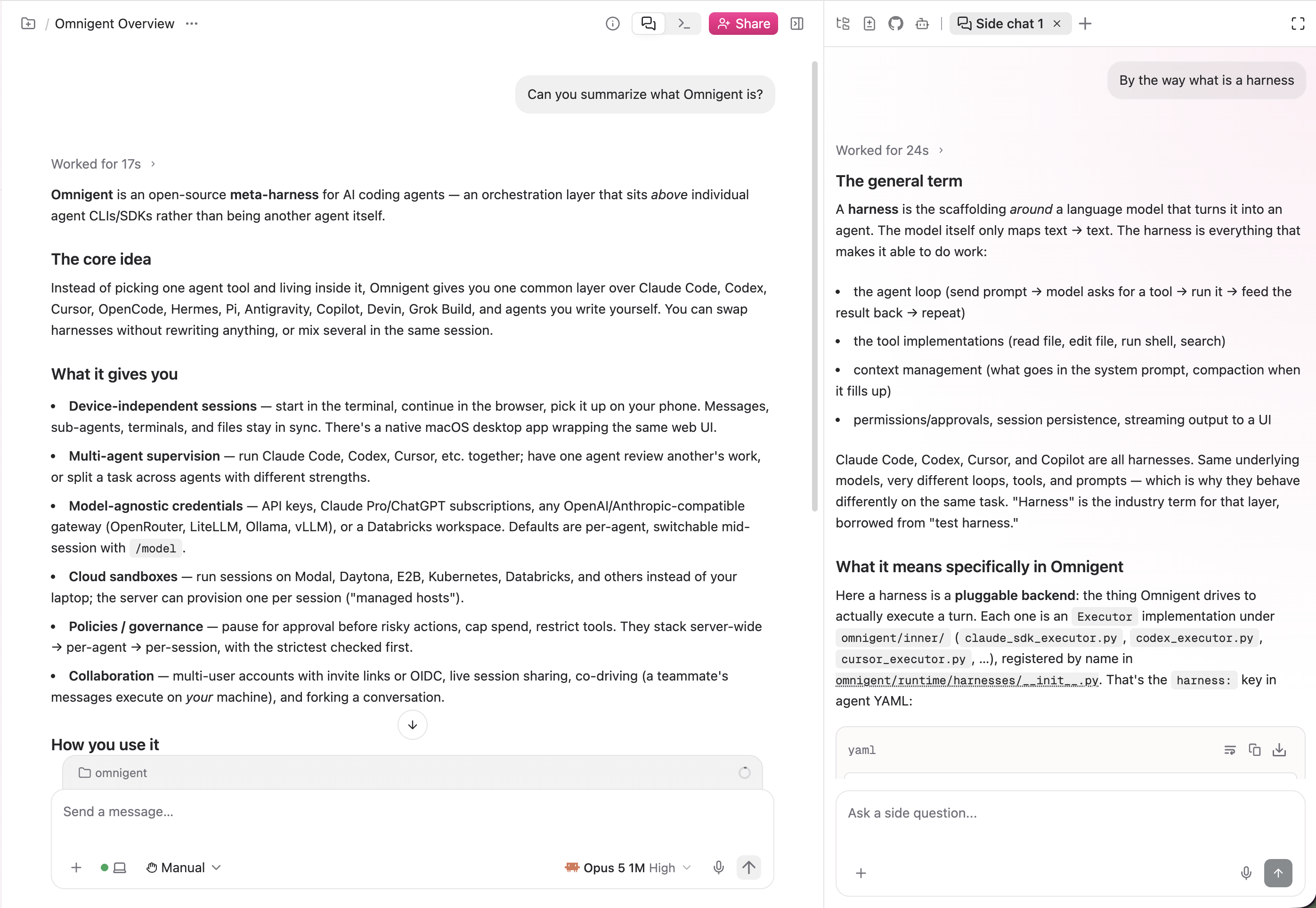
Sometimes you want to ask a quick question about what the agent is doing without steering the main conversation off course. Side chats give you a separate thread inside your session: the side chat sees the context from your session, but nothing you discuss there is added back to it, so your primary transcript stays focused.
To start one, use the "+" button in the chat pane's right panel.
Learn more in the Side questions with /btw.
5. Improved session management
As your session list grows, keeping it organized matters. You can now export a session straight from its actions menu, arrange projects in the order you want rather than the order they were created, and see pull request titles in the session PR dropdown instead of bare numbers, making it easier to tell at a glance which PR a session is tracking.
Learn more in the Session management.
6. Reverse-proxy subpath deployment with --base-path
Not every deployment gets its own hostname. Omnigent can now serve the web UI and API behind a reverse-proxy subpath, so you can mount it alongside other internal tools under a shared domain. Set OMNIGENT_WEB_BASE_PATH or pass omnigent server --base-path and both the UI and the API resolve correctly under that prefix.
Full Changelog: https://github.com/omnigent-ai/omnigent/blob/main/CHANGELOG.md
What's Next
Install or upgrade Omnigent:
uv tool install --python 3.12 omnigent # or: pip install "omnigent"