

v0.10.0
Released 2026-08-19 · 3 min read · Omnigent maintainers
Omnigent v0.10.0 is a major release focused on scaling out where and how your agents run, from spreading sandboxes across multiple providers to switching conversations instantly. This release adds first-class multi-provider sandboxing with a new Blaxel backend and self-restarting Kubernetes runners, promotes Devin to a built-in harness alongside easier Copilot and ACP-agent setup, introduces a Usage page for tracking cost and spend, and makes session management — moving, forking, and bulk-cleaning sessions — something you can drive entirely from the web UI.
1. Multiple sandbox providers, Blaxel, and self-healing Kubernetes runners
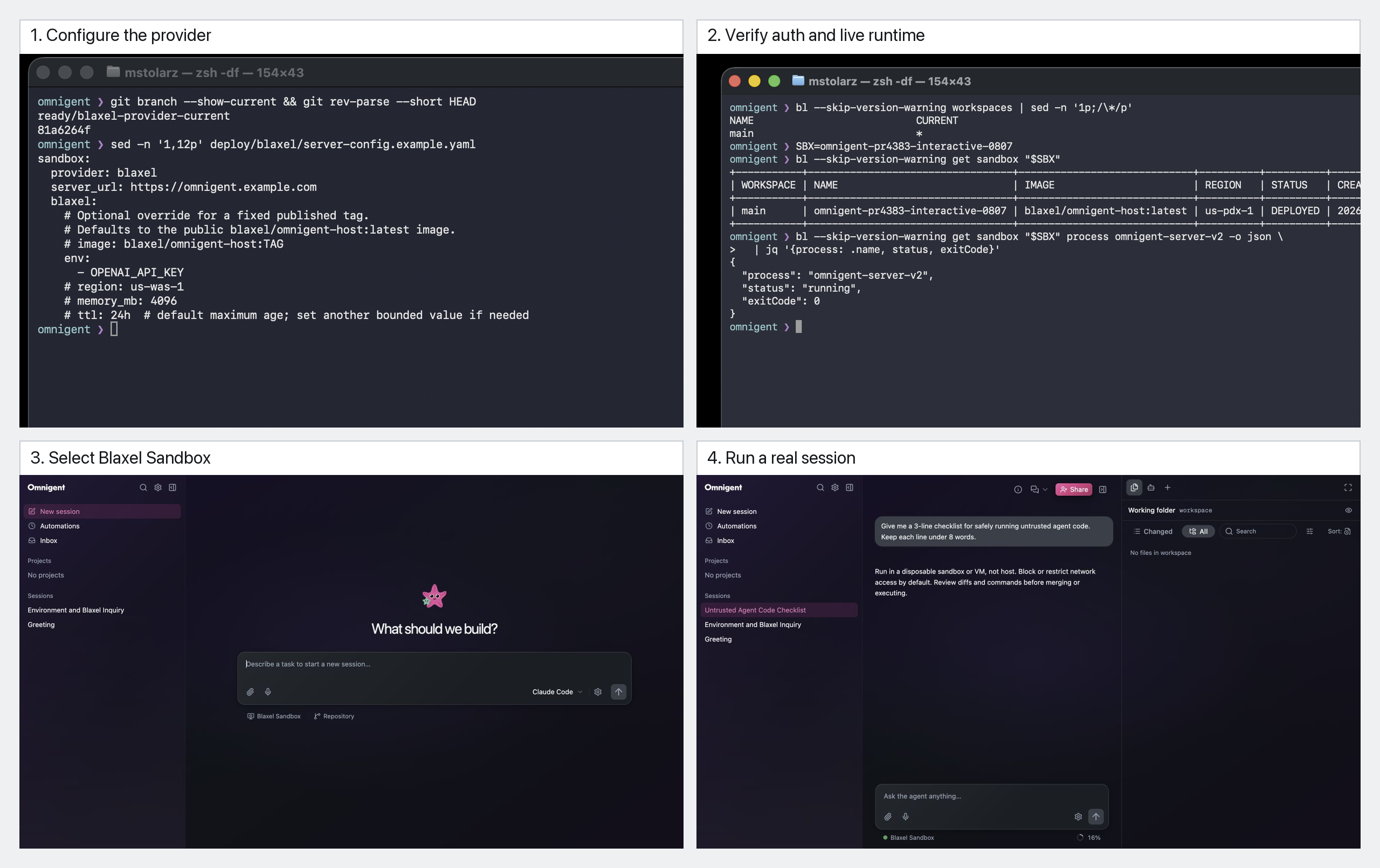
You can now run several sandbox providers side by side. The new sandbox.providers configuration lets you register more than one backend and expose a picker option for each, so different sessions can land on different infrastructure without reconfiguring the server. This release also adds a new Blaxel provider to the mix.
On Kubernetes, runners now launch as Jobs, which means a crashed runner restarts automatically instead of leaving the session stranded. To get a cluster up quickly, there's an ArgoCD quick-start overlay you can deploy from.
Learn more in the Cloud Sandbox Host.
2. Devin as a built-in harness, plus easier ACP and Copilot setup
Devin is now a built-in harness, so you can pick it directly rather than wiring it up by hand. Configured ACP agents — Devin, Grok Build, and others — show up automatically in omni setup and in the New Chat picker, making them selectable the moment they're configured.
The Copilot harness now authenticates using your existing gh auth login session, including GitHub Enterprise hosts, so there's no separate credential dance to get it working.
Learn more in the Configuration.
3. Usage page for cost and spend tracking
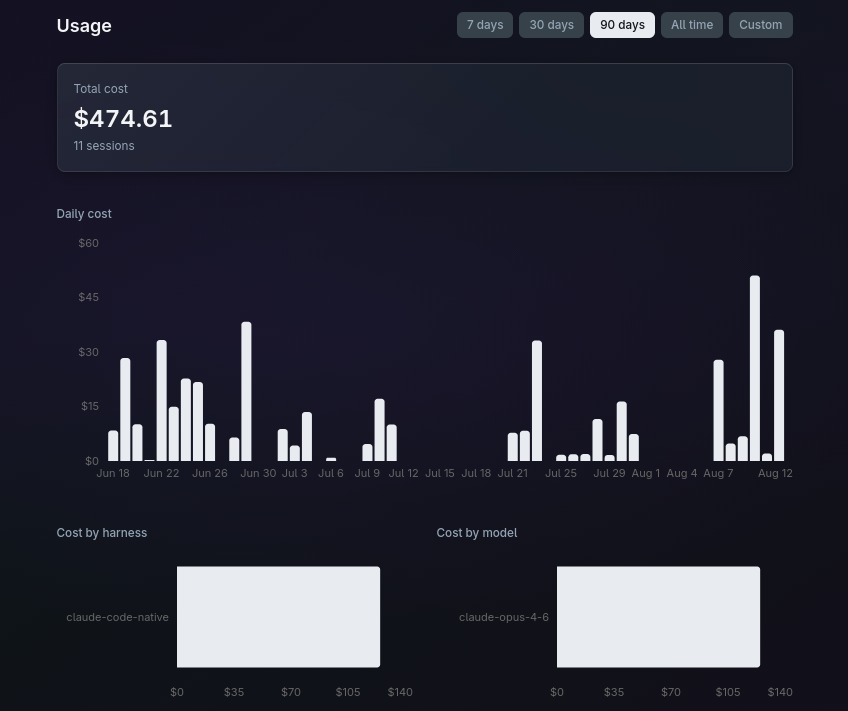
A new Usage page gives you visibility into what your sessions cost. It tracks session costs and daily spend, and breaks spending down by harness and by model, so you can see where your budget is going at a glance.
For deployments, you can gate features — including the Usage page itself and web-driven harness setup — behind the OMNIGENT_FEATURES setting, letting you control which capabilities are exposed to your users.
4. Manage sessions from the web UI
Session management is now a full web-UI workflow. You can move a running session to another machine, fork a sub-agent up into its own top-level session, and leave a session someone has shared with you — all without dropping to the terminal.
When it's time to clean up, you can bulk-move or bulk-delete sessions, with optional worktree-branch cleanup so leftover branches don't pile up behind you.
Learn more in the Session management.
5. Instant conversation and terminal switching
Switching between conversations and terminals is now instant. Background conversation streams stay open instead of tearing down and reconnecting, so jumping back into a session is immediate.
Web terminals now attach over loopback when the runner is local, which cuts keystroke echo from around 250 ms down to under 10 ms — typing in a local session feels native again.
Full Changelog: https://github.com/omnigent-ai/omnigent/blob/main/CHANGELOG.md
What's Next
Install or upgrade Omnigent:
uv tool install --python 3.12 omnigent # or: pip install "omnigent"